
Money per client, in view
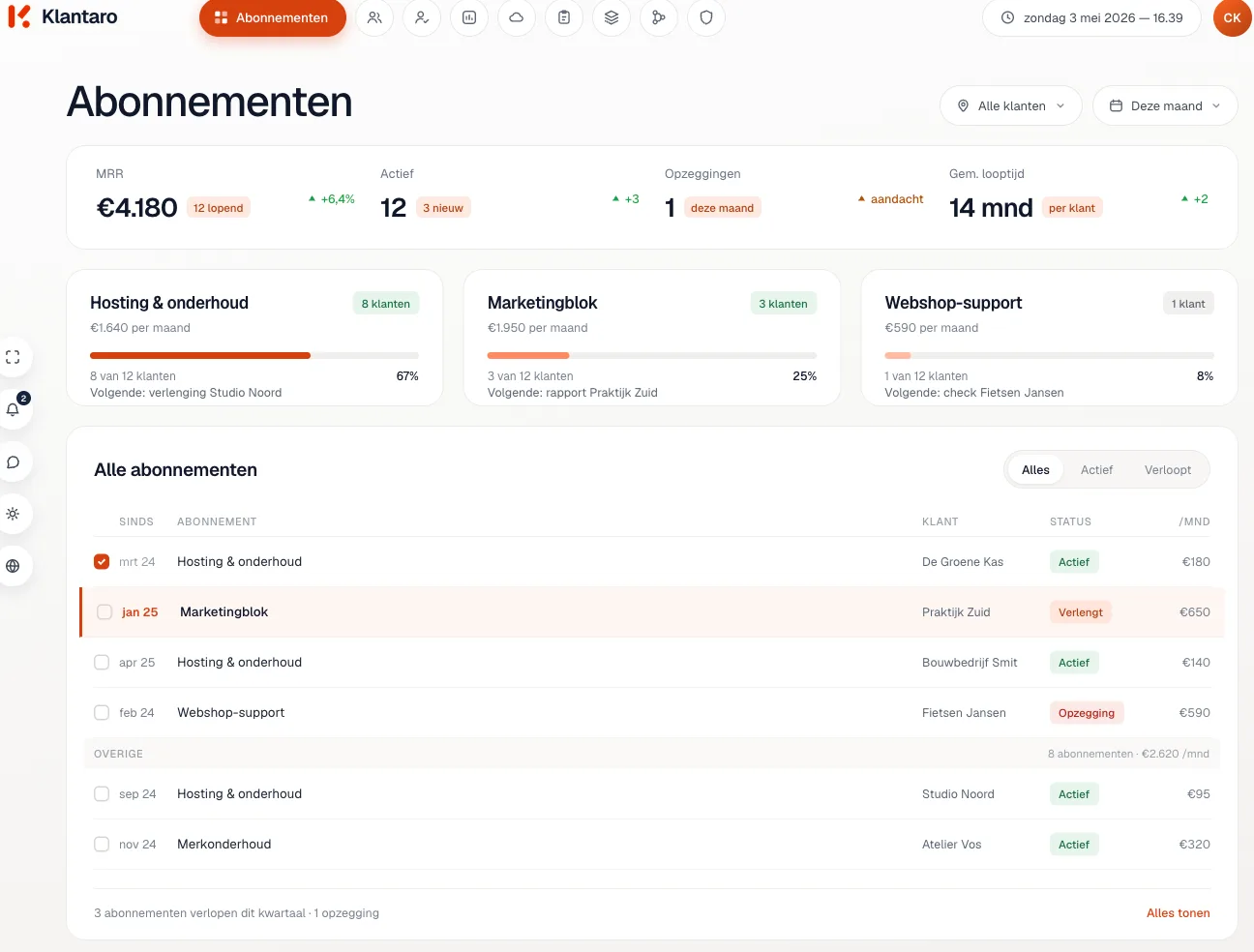
Quotes, invoices and subscriptions from Moneybird sit with the client. Klantaro sees what is paid, late or expired and suggests a next step.
- Sign in with Moneybird
- Reminders for approval
- Data stays in the EU
What Klantaro does with it
From quote to subscription
Quotes
- Visible per client
- Accepted? A project is ready
- Next to that client's email
Invoices
- Paid, late or expired
- Per client in the file
- Klantaro suggests the next step
Reminders
- Late invoice recognized
- Reminder ready as a draft
- Sent after your approval
Subscriptions
- Term per client
- Heads-up before it expires
- Reach out to the client in time
Your accounting joins the conversation
Klantaro reads quotes, invoices and subscriptions straight from Moneybird. For each client you see what's outstanding, what's been paid and what's expiring, without switching tabs.
- Quote accepted? Klantaro creates the project.
- Invoice overdue? A reminder is ready for your approval.
- Subscription expiring? You hear about it thirty days ahead.
How to connect it
Sign in, choose, done
You need a Moneybird account with access to your agency's administration.
- 01
Sign in with Moneybird
Through the familiar Moneybird screen. Klantaro never sees your password.
- 02
Choose your administration
Have more than one? Pick which one Klantaro can read.
- 03
Klantaro links to clients
Quotes, invoices and subscriptions end up with the right client.
PRIVACY AND PERMISSIONS
Which permissions does Klantaro ask for?
As little as possible. A reminder only goes out after your approval, and you can always disconnect.
- Data in the EU
- Data processing agreement
Frequently asked questions
About the Moneybird integration
Does Klantaro create invoices itself?
No. Klantaro reads quotes, invoices and subscriptions. A reminder for a late invoice waits for your approval. You decide whether it goes out.
What happens when a quote is accepted?
Klantaro creates the project for the right client.
Does it work with multiple administrations?
Yes. If you have more than one, you pick which one Klantaro can read.
How do I disconnect Moneybird?
You can disconnect anytime. After that, Klantaro reads nothing from your administration.
Works well with
All integrations →Connect Moneybird to your clients.
Quotes, invoices and subscriptions per client. Nothing goes out without your approval.